Transcribes your calls on-device for
easy group collaboration with AI
Chorus is a Mac app that listens to both sides of a call, tells the voices apart, and types the live transcript into whatever you’re working in — your notes, a doc, an AI chat. Every word is transcribed on-device. Your audio never leaves the machine.
Two engines, captured separately — nothing leaves the Mac
Following along — on the shareable-links idea: if a link never expires, old files stay exposed forever. Want me to draft a 30-day auto-expiry as the default?
Speaker 1: Top of the sprint for Pied Piper: shareable file links — no account needed to open one.
You: Love it. My one worry: a link that lives forever is a privacy hole. Files leak long after you forget them.
Speaker 2: Agreed. Expire them after 30 days by default, with a toggle to extend.
You: And let the owner revoke a link any time.
Speaker 1: Perfect — expiring links by default, revoke whenever. Ship it.
● All transcription happens on your Mac. No servers, no accounts, no analytics — audio never leaves the machine.
What can Chorus do?
How it works
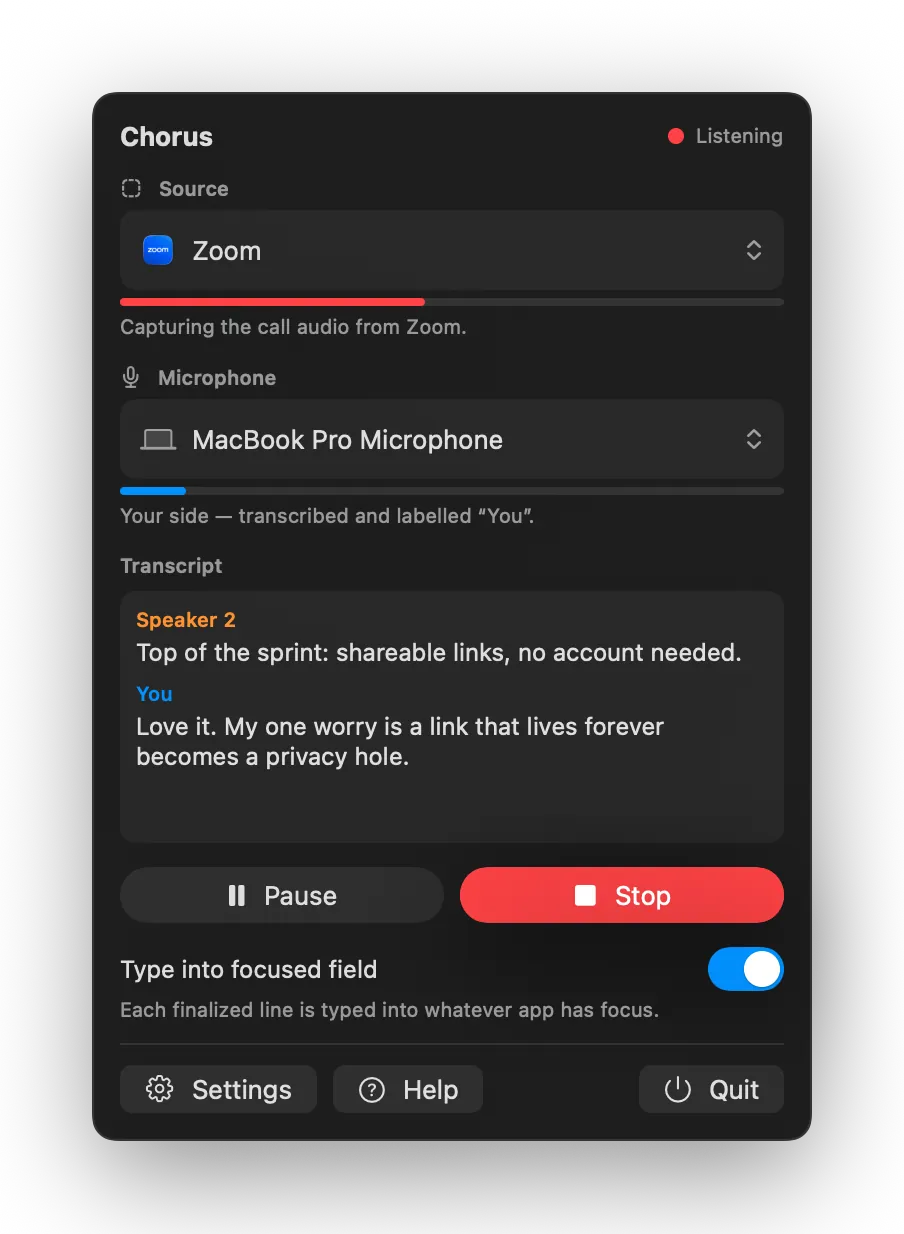
Lives in the menu bar.
Pick the app you’re listening to, press Start, and watch both sides transcribe in real time. Flip on “Stream transcript to focused app” and each line is typed wherever you’re working — your notes, a doc, or an AI chat. Pause it instantly, any time.
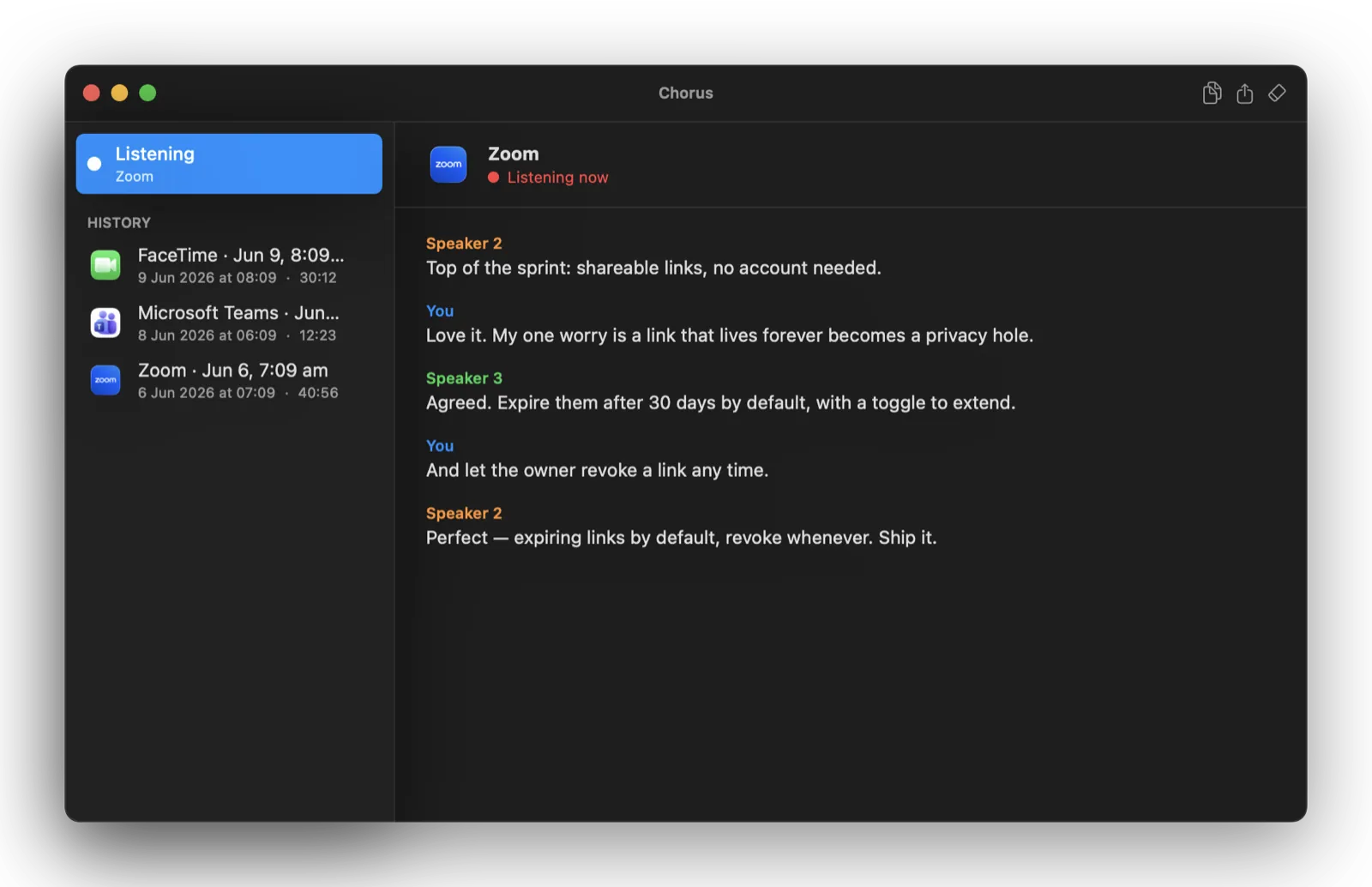
A full history, stored locally.
Every call becomes a clean, speaker-separated transcript you can reread, rename, or export. Past sessions live in the sidebar; the live one updates as you talk. It’s all plain-text files on your own Mac — kept exactly as long as you choose.
The cloud isn’t invited.
No account, no telemetry, no servers — and it records audio only, never your screen. Transcripts are plaintext JSON on your own disk.
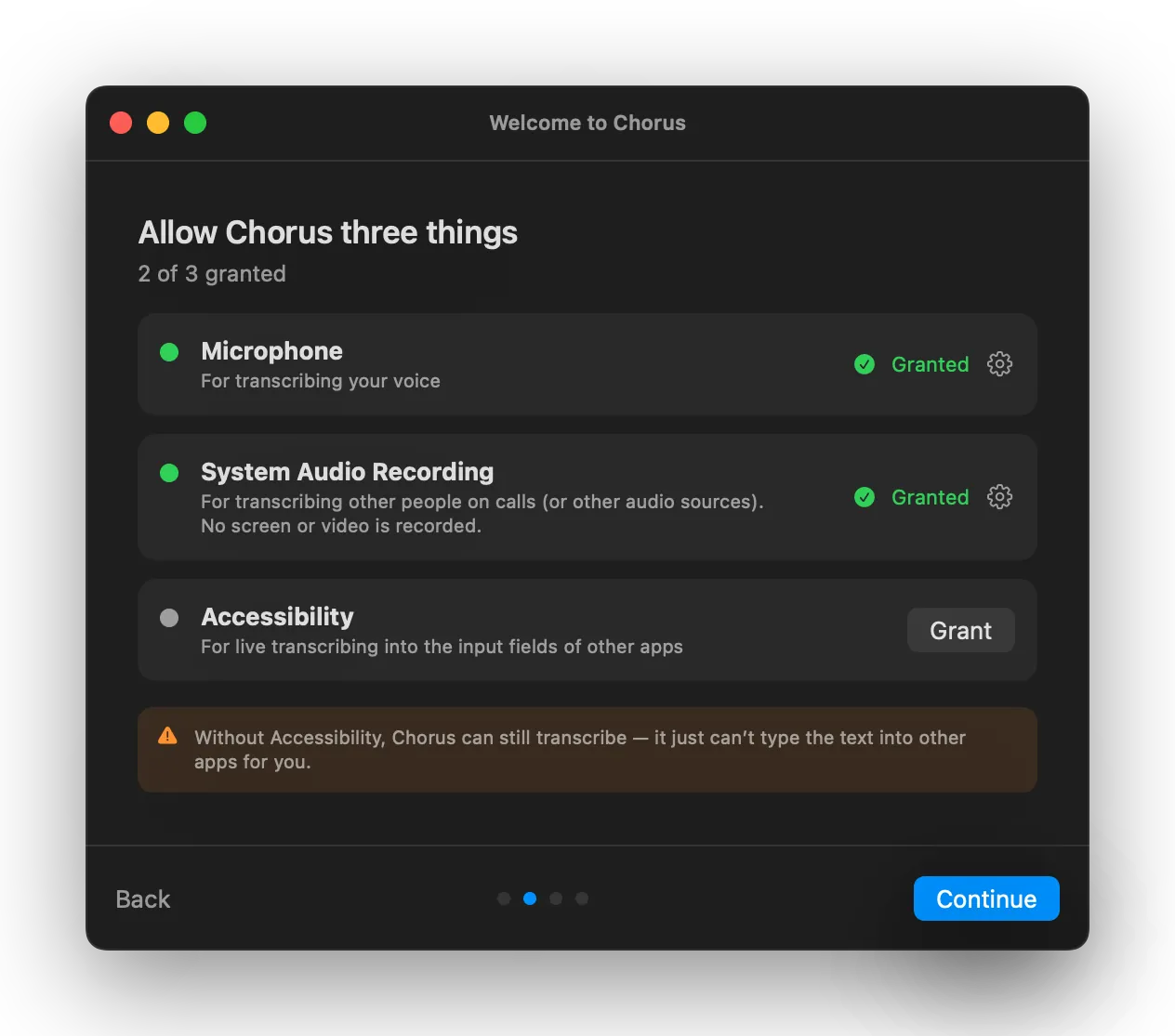
Set up in under a minute.
A short, honest walkthrough: three permissions, each explained, with a live mic test so you know it works before your first call.
The full feature list
Entirely on-device
Apple's SpeechAnalyzer transcribes every word locally, on your own Apple Silicon.
Tells voices apart
On-device diarization splits the far end into Speaker 1, 2, 3… while your own mic is labelled “You”.
Types where you’re working
Each line is typed into the focused text field — notes, a doc, or the chat box of an AI assistant. Pause it instantly with one toggle.
Works with Apple Shortcuts
Start listening, stop, or export your last transcript — from Shortcuts or Siri. Wire it into any Mac workflow.
Export anywhere
Save any session to plain text, Markdown, or SRT / VTT subtitles. Sessions autosave as you go.
A history you control
Revisit, rename, or delete past sessions. Keep them Forever or auto-prune after 90, 30, or 7 days — your call.
What it’s for
One capture. Many jobs.
Chorus does one thing — turn a live call into clean, speaker-separated text, on your Mac. Where that text goes is up to you.
Group collaboration with AI
Type both sides of the call straight into an AI chat, so the model has the whole room — and can summarise, draft, or answer right as you talk.
Privacy-first meeting notes
A clean, speaker-labelled record of every meeting, written to your own disk. No bot joins the call, nothing to sign up for, nothing to opt out of.
Live captions, read along
Follow any call in real time as text, with full speaker separation — and it works with every app, not just the ones with captions built in.
Who made this
One person, one app.
I’m just one product guy and Chorus is the tool I wanted for my own calls — so I built it the way I’d want it built. On-device by default. Sold once, no subscription. It’s a small, finished thing that does its job and gets out of the way — and when you email support, you’re emailing me.
Claude said I need one more CTA at the end.
One-time $10. No subscription, no account, no cloud. Try every feature free for 14 days.